| Mobile Web App or PWA | Available  |
| Google Play Store | Unavailable  |
| Android .apk | Unavailable |
| iOS App | Unavailable |
Wingaga has no application in either store, and Android gets nothing to install. The first shelf in its lobby is not a list of the site’s most played games but a list for the country you are opening it from, with that country printed in the heading.
A ranking that looks global turns out to be local, and the heading says so if you read it.
| Mobile Web App or PWA | Available |
| Google Play Store | Unavailable |
| Android .apk | Unavailable |
| iOS App | Unavailable |
Wingaga has no application in either store, and Android gets nothing to install. The first shelf in its lobby is not a list of the site’s most played games but a list for the country you are opening it from, with that country printed in the heading.
A ranking that looks global turns out to be local, and the heading says so if you read it.
Yes. No download exists for either system, and a mobile browser runs the site end to end. That removes the only decision a download would force on you, because there is no file to weigh against the storage you have left.
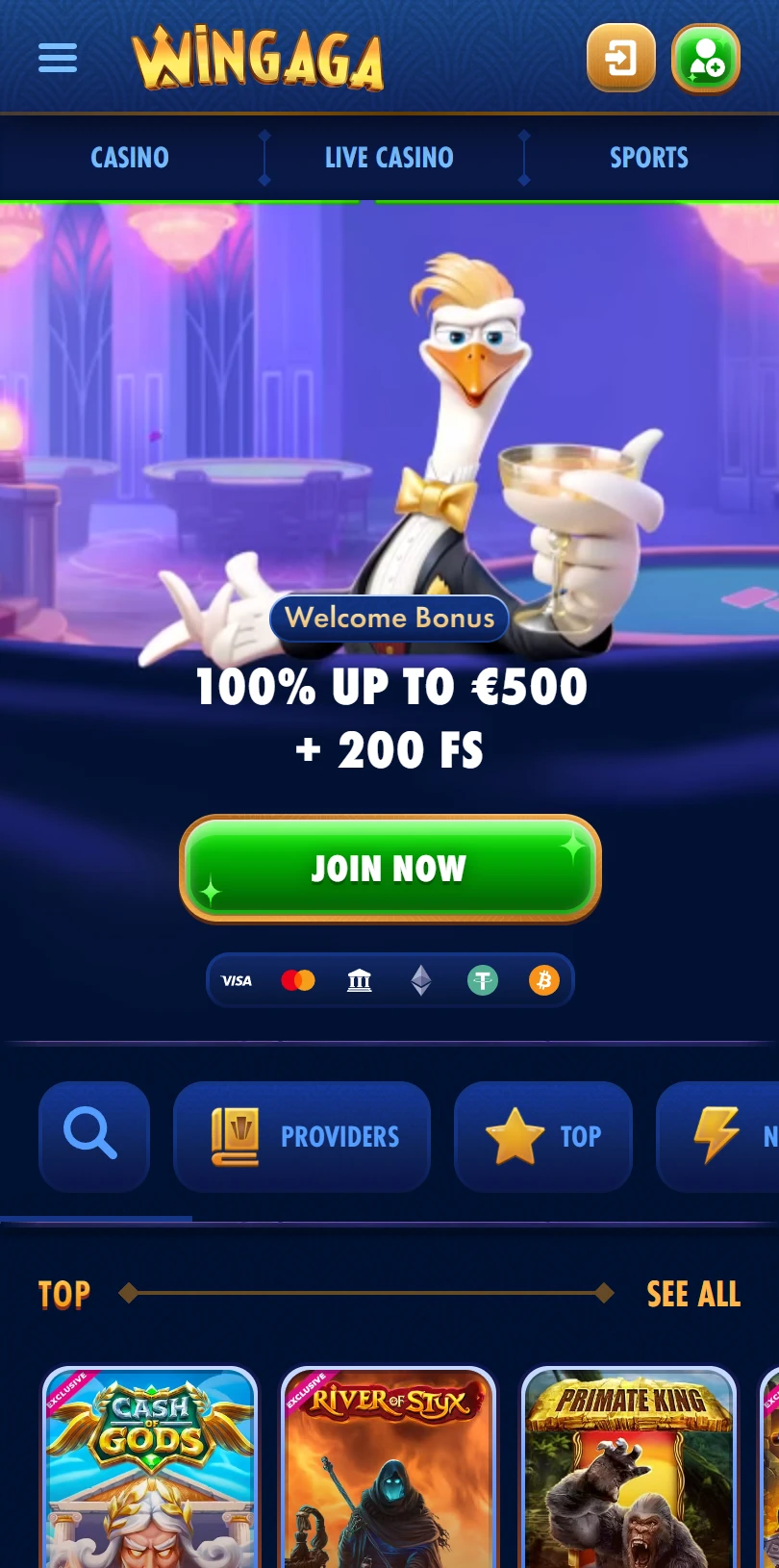
A login and a registration button sit at the top right, the bonus on the banner is claimed in the same browser as everything else, and each visit serves the latest version with no update step.
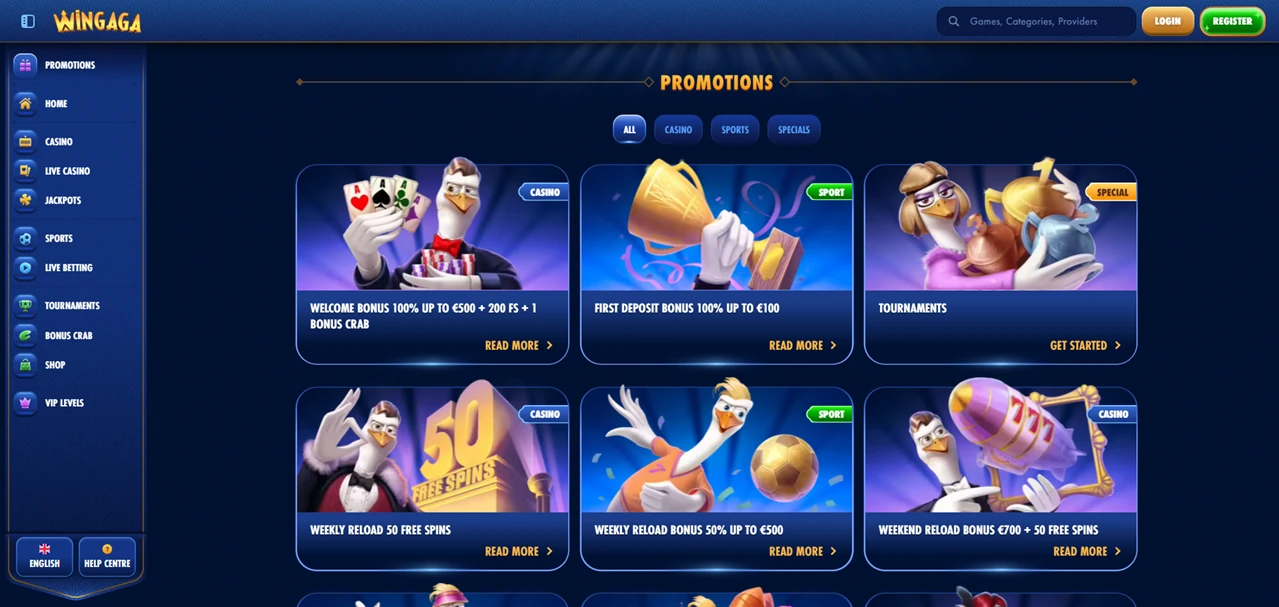
Twelve entries fill the left-hand rail, from promotions and the home page through the casino, the jackpots and the sportsbook to challenges, tournaments, a shop and a VIP ladder. Seven footer columns sit below, and one of them links to a page that explains how to put the site on a home screen.
iPhone — Safari
Android — Chrome
Nothing is copied onto the phone, so the icon weighs nothing and costs nothing. A long press takes it off again, and nothing about the account changes when it goes.
Its lobby opens with a shelf whose heading does something most lobbies avoid.
That row is not headed top games. It is headed top games followed by a country name, which makes the list regional rather than site-wide.
Read what that changes. Someone opening the same page elsewhere sees a different first row, so the games at the front are the ones that perform where you are.
That is a reasonable way to build a lobby and a poor way to read one. If you are looking for the site’s strongest titles, the first shelf is not the answer to that question, and the all-games page is.
Similar logic sits under the shelf below it, headed new, which sorts by arrival date rather than by anything you have done.
Its filter row and its game tiles both use a word the site never explains.
Exclusive appears twice: as one of the chips above the lobby and as a badge printed across individual tiles. Pressing the chip collects the badged games into one view.
What the word means here is not stated anywhere on the page. Exclusive can mean built for this operator, licensed to a small group of them, or merely new enough that few sites carry it yet. Those are three different things.
Treat the badge as a filter rather than a claim. It reliably tells you which games the operator has grouped together, and it tells you nothing about where else you can play them.
Its filter row sits between the banner and the first shelf, and it carries eleven entries.
Providers, top, new, popular, exclusive, bonus buys, top live casino, roulette, game shows, blackjack and hot jackpots each get a chip. Four of the eleven duplicate shelves that appear further down the same page.
That row is the fastest way past the welcome banner on a small screen, which is what it is for. Use it rather than scrolling, and skip the four chips that lead where the page was going anyway.
Its navigation makes a choice in the first two lines of the rail.
Promotions is the first entry and the home page is the second, so the top tap target in the menu is an offer rather than the lobby.
Nothing is hidden by that order and nothing about it is unusual here. It is worth noticing on a phone, where the first menu item is the one reached without looking.
Its rail ends on the same theme, with challenges, tournaments, a shop and a VIP ladder in the last four slots.
If the first shelf you see is ranked for your location, then it is not the ranking you thought you were reading. Treat the lobby front as a regional shortcut and go to the all-games page when the question is what this site actually holds.
Two labels on that same page carry less than they appear to. Exclusive is used as a badge and as a filter without a sentence defining it, and four of the eleven chips above the lobby lead to shelves the page already shows further down.
What the pages checked do not name is the operating company or a licence number, which leaves the question of who you would be contracting with for the terms page to answer.
None of that changes the mobile answer: no application exists, neither store lists the name, and a free icon placed by hand does the rest.
✅ Browser users, who get a shortcut guide written by the operator
✅ Players who want a casino, a sportsbook and virtual sport behind one login
✅ Anyone who navigates by filter chips rather than by scrolling
✗ Visitors who assume a top list ranks the site rather than their region
✗ Shoppers for a named exclusive title, since the word goes undefined
✗ Handset owners who want an installable application rather than an icon
No app exists. Android has no file and neither store lists the name. The site publishes a Create Shortcut page instead, with separate numbered steps for Android and for iPhone.
Because the first shelf is ranked by location rather than site-wide, and the heading names the country it applies to. Only the all-games page ignores where you are opening it from.